
We’re excited to introduce the FlashEdge Web Application Firewall (WAF) — a powerful new security layer built into the FlashEdge CDN.
FlashEdge WAF protects your web applications from Layer 7 attacks and other common threats. It’s available now as a usage-based add-on for any distribution — no extra configuration needed.
FlashEdge Firewall Features
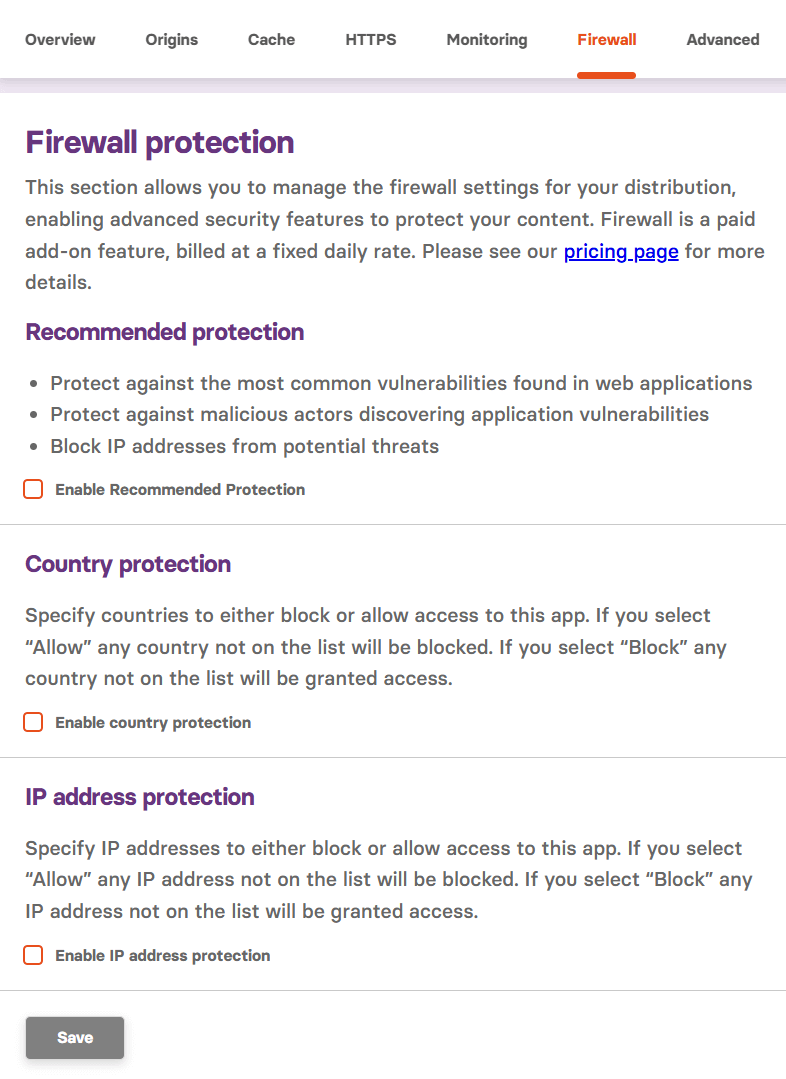
Recommended Protection
Apply a curated rule set instantly to defend against the OWASP Top 10 and other high-risk patterns. Out-of-the-box protections include:
- Mitigate common web application vulnerabilities
- Prevent malicious actors from probing for weaknesses
- Block IP addresses associated with suspicious or harmful activity
- And more
Country-Based Access Control
Allow or block traffic based on the country of the request's origin. This is especially useful when you know you need to allow or block specific countries.
You can use:
- Allow mode to only permit selected countries
- Block mode to exclude specific regions
IP Address Rules
Control access with precision. Create allowlists or denylists for individual IP addresses or entire ranges to lock down who can reach your apps.
How FlashEdge Firewall Works
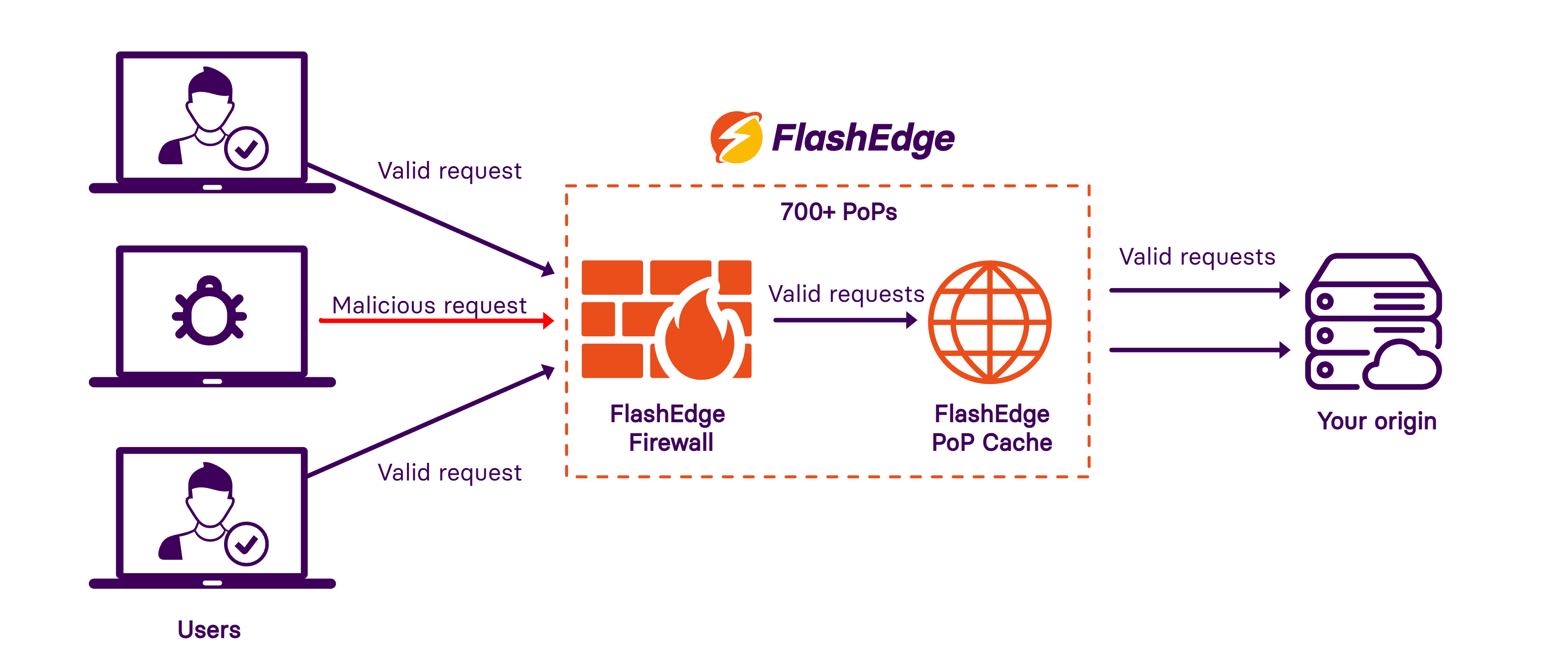
All rules are enforced directly at FlashEdge’s global edge locations. This keeps your latency low while applying security instantly where it matters most.
- Valid user requests are intelligently identified based on our set of rules, IP address or country of origin and allowed through the FlashEdge web application firewall.
- Malicious or suspicious traffic is blocked at the edge, preventing threats like DDoS attacks, bot abuse, or known exploit patterns from reaching your application.
- FlashEdge PoP Cache then handles the request efficiently, serving cached content when possible or forwarding it to your origin only when necessary.
Simple, Usage-Based Pricing
- $12.00 per 30-day period per distribution
- $0.40 per day — only on days WAF is active
- Billed weekly based on daily usage
- Scales linearly as you enable it on more distributions
- Not included in free-tier
No hidden fees. You’re only charged for the protection you use — no extra costs for enabling rules or updating policies.
How to Enable FlashEdge Firewall
If you don’t have a FlashEdge account with a distribution set up, start by reading this guide: How to create your first FlashEdge CDN distribution
Getting started takes less than a minute:
- Go to your distribution in the FlashEdge CDN console
- Click the Firewall tab
- Enable one or more options:
- Recommended Protection
- Country Protection
- IP Address Protection
All protections are included at the same flat rate. For full setup help, check our step-by-step guide.
Start Protecting Your Apps Today
FlashEdge WAF gives you powerful, flexible protection — right at the edge. Whether you’re running a single site or scaling globally, you can now deploy enterprise-grade defenses with zero hassle.
Need help configuring your first policy? Get in touch with our support team — we’re here for you.